
Cicolator 3.0: Widgets, Apple Health, and Label Scanning
More than a year ago I released Cicolator 2.0 and, while I was really happy with all of the additions, there were things that were missing. Obvious things I didn’t have time to think through and, frankly, maintain.
- Widgets
- Apple Health integration
- Additional Apple Intelligence features
It was a bummer to not have these features for 2.0 so I knew I had to include them for the next major version. And now I can happily say we have them (and more)!
I want to be forthright and state that I benefitted heavily from the use of Claude on this release. That might bother you so I want it to be known. Versions 1.0 and 2.0 have largely been about me learning the ins-and-outs of Swift and iOS development while 3.0 has been an experiment in how I can utilize AI in iOS development.
So, what’s new?
Widgets
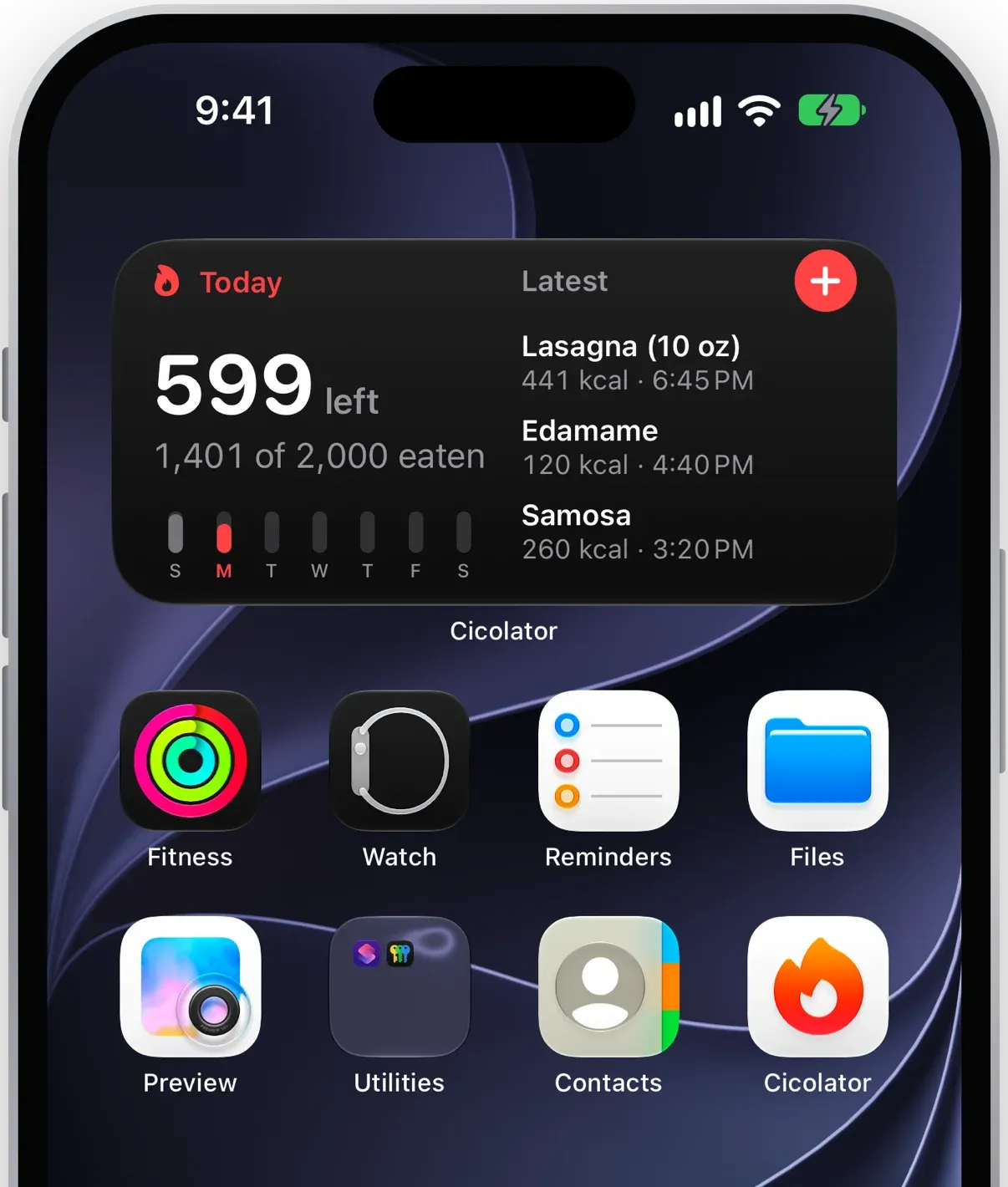
Finally! If you’re someone who likes to curate their homescreen and lockscreen with visualized data I now have something that should suit you. The smaller widget will show you your remaining calories for the day while the larger version will give you the most recent entries, your total, your remainder, and a bit more!
Apple Health
Another feature I really have wanted for a long time. A calorie tracking application really needs to be able to feed data into the Health app. However, all the different data scenarios scared me off from a 2.0 release:
- Editing or deleting logged entries in Cicolator
- Deleting an entry in Apple Health directly
- Possible changes to CloudKit
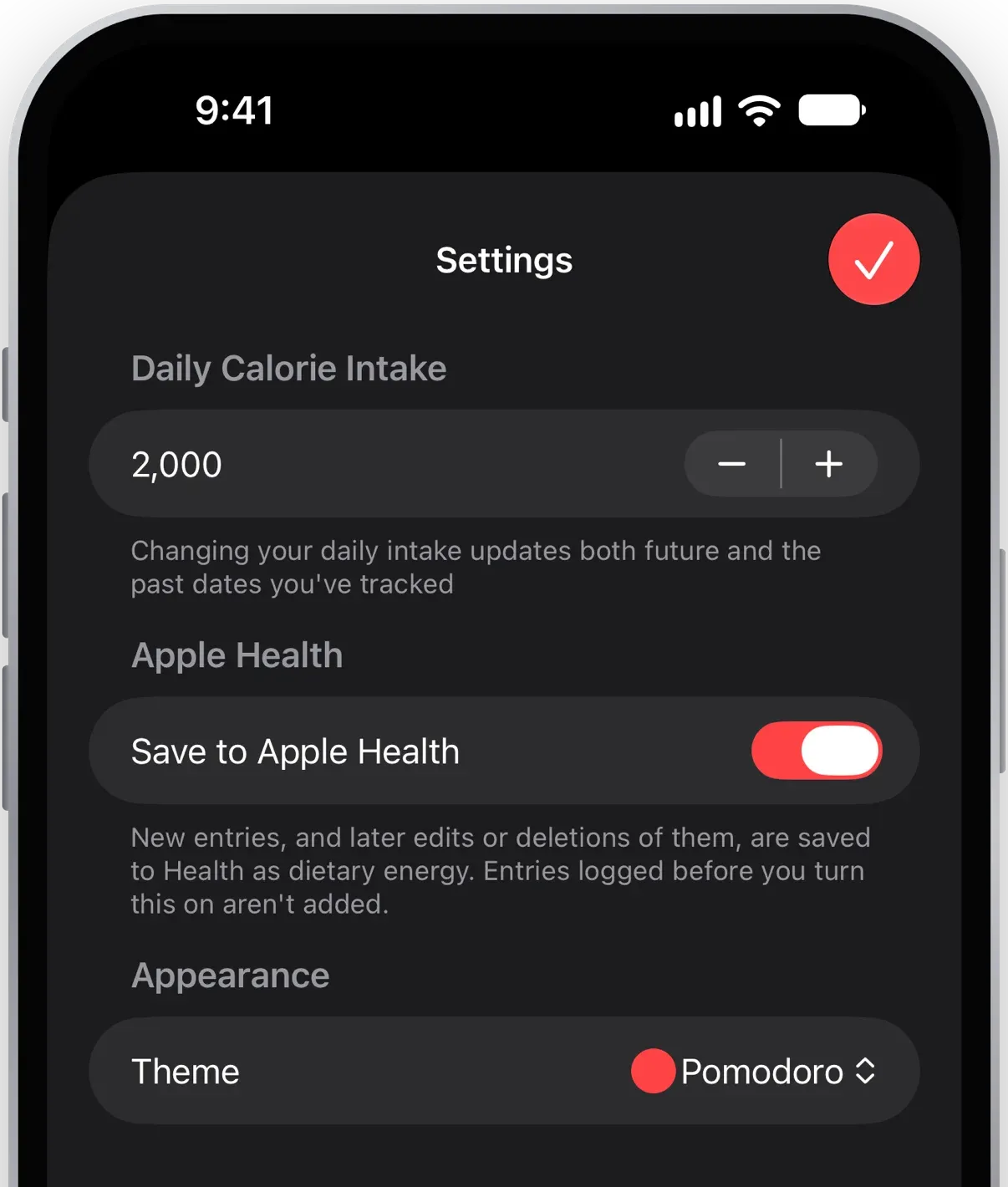
It was a challenge I wasn’t up for initially, but I’ve been dying for it to be included. Now it’s here and can be enabled in Settings!
Offline nutrition label scanning
In 2.0 I added the ability to scan barcodes and perform a lookup on the (wonderful) OpenFoodFacts.org. Their API is extremely fast and the data is very comprehensive! However, there are times it’s not quite right and those times felt frustrating. Logging calories is, unfortuntely, burdensome and those moments were just extra friction.
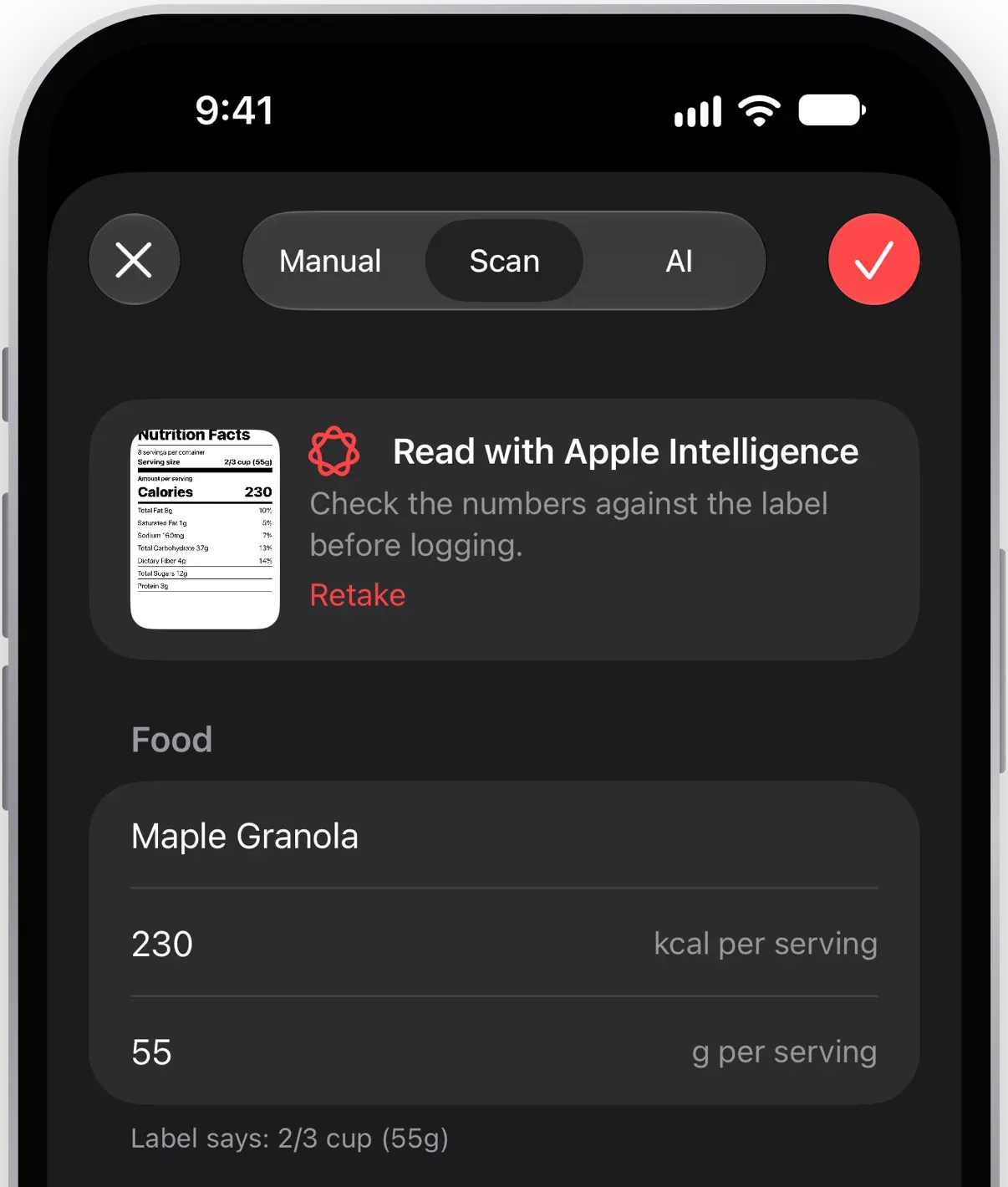
What I really wanted was to point my camera at the label itself and extract the calories. On top of that, I wanted everything be fully offline capable. No API calls to any service whatsoever.
And that’s exactly how the new scanning works! Point your camera at the label, take a photo, label it, and log it. If you save it to your Favorites and a barcode is found it’s stored to make the next lookup even quicker.
UI refresh
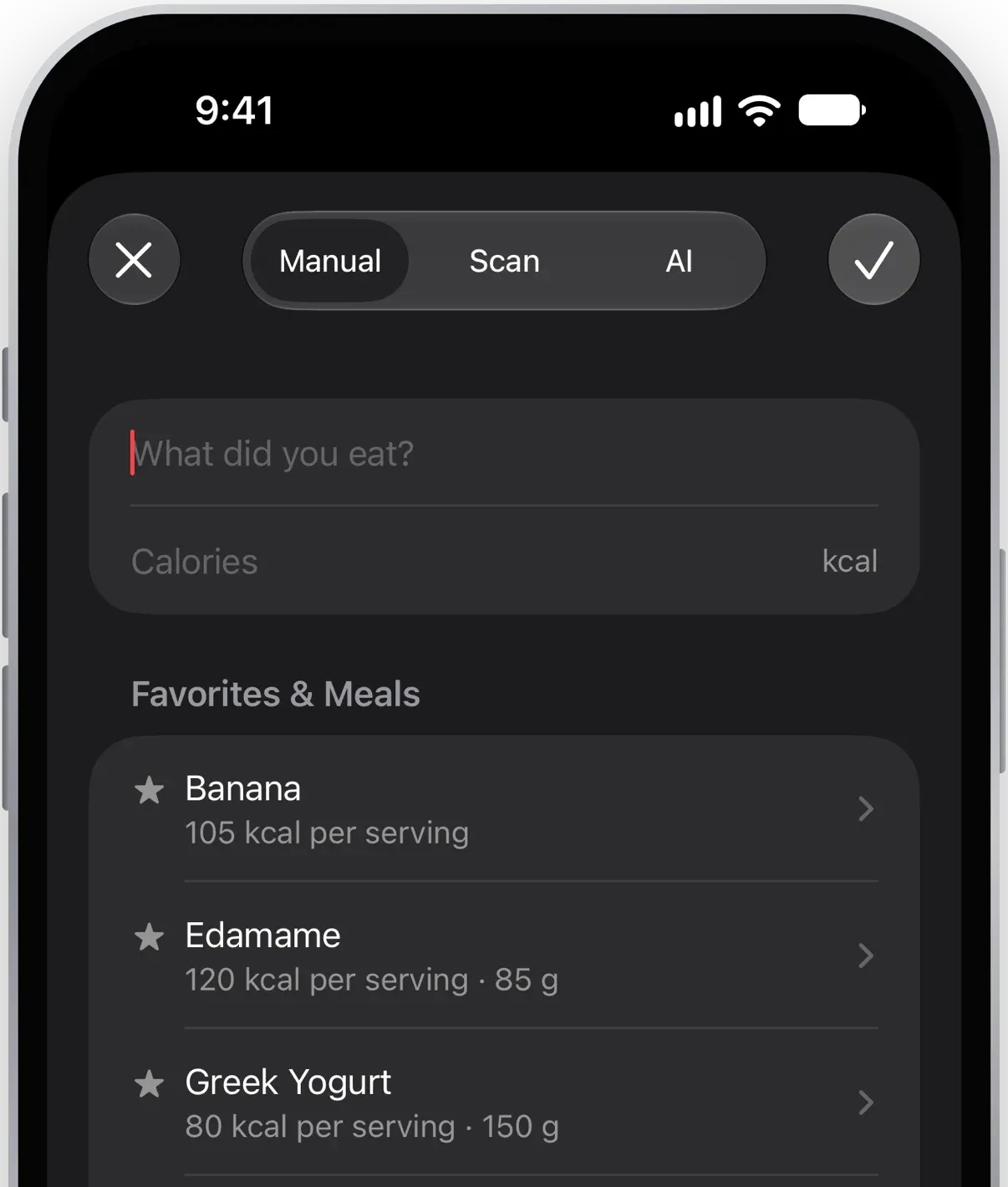
Just like iOS 27 was a visual refinement of iOS 26, I wanted to do the same with Cicolator. While not significantly different, I thought the app was worth interface improvements like an all-in-one logging view, a universal search, a minifying tab bar, and better use of sheets.
Tip jar
With my third major release of Cicolator I wanted some method for potential income. I didn’t want to charge for the app or setup yearly subscriptions. The whole point of this app is to tackle a specific dietary goal in a free, privacy-focused way!
Instead, I’ve placed a tip jar into the Settings. It doesn’t unlock anything, but if you’ve found the app to be useful and you want to support it you now have a way!
That said, I’m so grateful for anyone just using the app at all and finding it helpful!
Wrapping up
And that’s a wrap! Cicolator 3.0 is free on the App Store and you can read more about the features on the Cicolator website.